





Disclaimer: This article provides general information only and is not tax or financial advice. Tax obligations vary by business type and circumstance. We recommend consulting a registered tax agent or visiting ato.gov.au for guidance specific to your situation.
This guide covers seven of the most widely used bookkeeping platforms in Australia. Each entry covers what the platform does, who it suits, and where it falls short, so you can match the right tool to your actual situation. One distinction worth noting upfront: bookkeeping software handles your general ledger, invoicing, GST, and financial reports. It does not manage spend before it happens, issue corporate cards, or enforce approval workflows. We cover how those two pieces connect near the end.
What to look for in bookkeeping software

Before comparing platforms, it helps to be clear about what your business actually needs. For Australian businesses, these five criteria matter most.
GST and BAS compliance
Any bookkeeping software you use in Australia needs to handle GST correctly and generate a pre-filled Business Activity Statement. The Australian Taxation Office sets out record-keeping requirements for businesses, including for digital records, and your software should make keeping those records and reporting to the ATO easier rather than manual. The ATO's guidance on business record-keeping obligations is worth a read before you choose.
Single Touch Payroll (STP)
If you pay employees, you generally need to report through STP Phase 2, unless the ATO has granted a deferral or exemption. STP-enabled payroll or accounting software sends payroll information, including salaries and wages, PAYG withholding and super liability information, to the ATO when you run your payroll.
Bank feeds
Live connections to your Australian bank accounts cut reconciliation time dramatically. Check which banks your chosen platform supports before committing.
Scalability
Sole trader needs look very different from a business with ten people and multiple revenue streams. Pick a platform with tiered plans that grow with you without forcing a full migration.
Integration support
Your bookkeeping software sits at the centre of your finance stack. It needs to connect cleanly with your payment processor, point-of-sale system, and any spend management tools your team uses.
Seven bookkeeping platforms for Australian businesses

1. Xero
Xero is among the most widely adopted cloud bookkeeping platforms in Australia and New Zealand. It covers GST tracking, BAS preparation, bank reconciliation, invoicing, payroll, and financial reporting in one interface. The dashboard gives a real-time view of cash flow, outstanding invoices, and bank balances, and the mobile app makes receipt capture straightforward for teams on the move.
Who Xero suits
Most small and medium Australian businesses, particularly those working with an accountant or bookkeeper. Xero's advisor network in Australia is large, which makes finding local support straightforward.
Xero limitations
The entry-level Ignite plan caps the number of invoices and bills per month, which can catch growing businesses off guard. Check Xero's current plan limits, and note that moving to a higher plan such as Grow lifts them.
2. MYOB
MYOB is an Australian-founded company with a long track record in small business accounting. Its cloud product, MYOB Business, covers invoicing, expense tracking, payroll, BAS lodgements, and inventory management. MYOB also offers AccountRight, a desktop option for businesses that prefer not to operate entirely in the cloud, which sets it apart from most competitors.
Who MYOB suits
Established Australian businesses with more complex inventory or payroll needs, and those that want locally headquartered support.
MYOB limitations
The interface takes more time to learn than some newer platforms. Some accountants default to Xero, which can create friction when sharing files with your advisor.
3. QuickBooks Online
QuickBooks Online handles GST, BAS, invoicing, expense tracking, and bank reconciliation, with a reporting library that goes deeper than most entry-level platforms. The mobile app is well regarded for on-the-go receipt capture, and the interface is generally easy to navigate for first-time users.
Who QuickBooks Online suits
Small businesses that need strong reporting without the complexity of a full accounting suite, and those that already use other Intuit products.
QuickBooks Online limitations
QuickBooks has a smaller Australian market presence than Xero or MYOB, which means finding a local accountant familiar with the platform requires more effort.
4. Reckon
Reckon is an Australian-owned bookkeeping company, which makes it a popular choice for businesses that want local ownership and local support. Reckon One, its cloud product, uses a modular pricing structure: you pay only for the features you actually use. This makes it one of the more cost-effective options for sole traders and micro businesses.
Who Reckon suits
Sole traders, freelancers, and micro businesses that want to keep software costs low while handling GST reporting.
Reckon limitations
Reckon's integration ecosystem is narrower than Xero or QuickBooks, which limits how well it connects with specialist tools your team might already be using.
5. Sage Business Cloud Accounting
Sage is a global accounting software company. Its cloud product covers invoicing, expense tracking, bank reconciliation, and GST reporting. Sage tends to attract businesses that have grown beyond entry-level bookkeeping tools but are not yet large enough to need an ERP system.
Who Sage Business Cloud Accounting suits
Growing Australian SMBs that need more depth than starter plans offer, without the cost and complexity of enterprise-grade software.
Sage Business Cloud Accounting limitations
Sage's Australian user base is smaller than Xero or MYOB, which can affect the availability of local support and the familiarity of accountants with the platform.
6. FreshBooks
FreshBooks is built primarily for service businesses, freelancers, and sole traders. It makes client invoicing fast, tracks time and project expenses, and handles GST calculations. The interface is one of the cleanest available and requires very little prior accounting knowledge to operate.
Who FreshBooks suits
Consultants, creatives, tradespeople, and anyone who invoices clients and needs to track project costs without a full accounting suite.
FreshBooks limitations
FreshBooks is weaker on inventory management, payroll, and detailed financial reporting. It is best understood as invoicing software with bookkeeping features rather than a full bookkeeping platform, and most businesses outgrow it as soon as payroll becomes a regular requirement.
7. Wave Accounting
Wave is a free bookkeeping platform that covers invoicing and basic income and expense tracking. Its core accounting features carry no monthly charge, making it the most accessible starting point for brand-new businesses.
Who Wave Accounting suits
Micro businesses and sole traders at the very beginning of their operations, who need a no-cost way to track income and expenses while keeping things simple.
Wave Accounting limitations
Wave is built for the United States and Canada, and its payroll is not available in Australia, so check that it covers Australian GST, BAS and STP Phase 2 requirements before relying on it. Most Australian businesses will outgrow it once GST reporting or payroll become regular tasks.
How to choose the right platform for your business
For most Australian small businesses, Xero is the default-safe starting point: widely supported by local accountants, covering everything from sole trader invoicing to multi-employee payroll. If you have complex inventory needs or prefer a desktop option, MYOB is the closest alternative. If you are a sole trader watching every dollar of overhead, Reckon's modular pricing is worth a closer look. FreshBooks suits service businesses that invoice clients but do not yet need payroll. Sage gives more headroom for businesses scaling past the SMB bracket.
Many providers offer a free trial or an introductory discount, though offers change, so check each vendor's site. Running the real product for a month alongside your accountant is the fastest way to know whether the interface and feature set match how your business actually operates.
How Weel fits alongside your bookkeeping software

Bookkeeping software records what has happened. Weel controls what happens before it does.
That distinction matters because bookkeeping platforms are built to classify and report transactions, not to stop a policy breach before a card is swiped, capture receipts at the point of purchase, or route a supplier invoice through a multi-level approval before payment goes out.
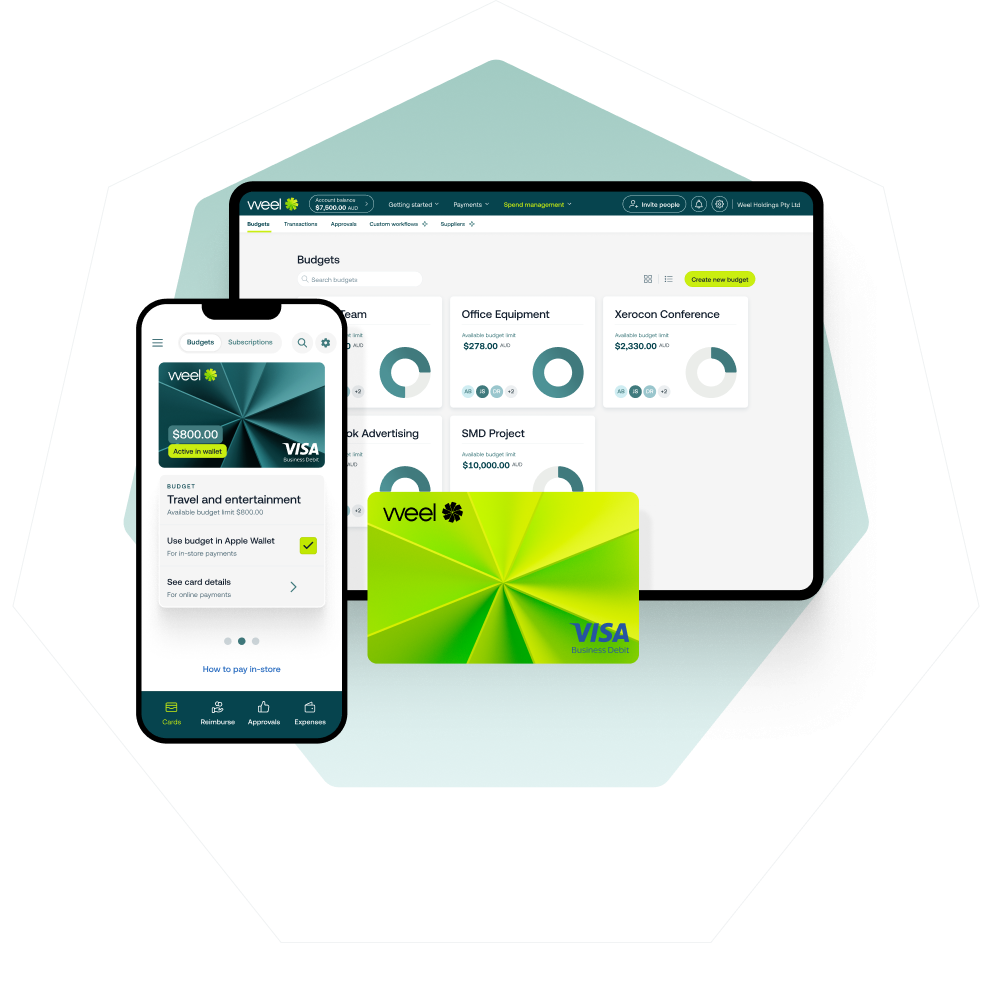
Weel's corporate cards give every team member a card with built-in spend limits, category controls, and merchant restrictions. When a purchase is made, Weel prompts for a receipt immediately, auto-fills the expense category, and routes it through your approval workflow. By the time the transaction lands in your bookkeeping software, it already carries a receipt, a coding, and a manager sign-off.
For supplier invoices, Weel's accounts payable automation captures invoices, extracts the details with AI, and routes them for approval before scheduling payment. Bookkeepers and accountants can code, review and approve client invoices in Weel without holding the client's bank login. Your team pays BPAY bills and submits batch payments, while supplier import brings your supplier list across in one click. Everything syncs to Xero and MYOB AccountRight (with Business Central integration on Enterprise plans), so your bookkeeper works with clean, approved data.
Weel integrates directly with Xero and MYOB AccountRight, syncing approved bills and payments. Your books close on current data, not a month-end backlog.
To learn more about how automation sits across your full finance stack, see our guide to small business accounting automation software.
Weel brings spend control, receipt capture, and AP automation together, and syncs with Xero and MYOB AccountRight. Book a demo or take the product tour to see how the two work together.