




What Is Credit Card Reconciliation?
Credit card reconciliation is the process of matching corporate card transactions against receipts, coding them to the correct expense categories, and confirming the balances align with your accounting software.
It closes the loop between what your team spent and what your books show. Every transaction needs three things to be complete: a receipt attached, a GST code applied, and a manager approval. Until all three are done, the expense is unfinished and your month-end close cannot move forward.
In Australia, the ATO requires businesses to keep records of all GST-related purchases. That means every business expense paid by card needs supporting documentation: tax invoices for purchases over $82.50, and a clear record of the GST amount claimed. Reconciliation is not just a bookkeeping task. It is how you verify that every card transaction is supported by documentation and correctly coded so your BAS figures are accurate.
Corporate cards, including virtual cards and physical business Visa or Mastercard, are the most common source of reconciliation volume. The more people on cards, the more transactions to match. A team of 10 with active corporate cards can generate hundreds of transactions in a single month.
Why Credit Card Reconciliation Takes So Long
Most of the delay in credit card reconciliation comes down to three bottlenecks.
1. Missing receipts
Transactions happen throughout the month. By the time reconciliation starts, some receipts are lost, some are sitting in inboxes, and some were never collected. Chasing your team for month-old receipts is the single biggest time drain in the process.
2. Incorrect or missing expense coding
Cards do not automatically know whether a transaction is a travel expense, a client meal, a software subscription, or something that attracts FBT. When your team does not code expenses at the time of spend, that task falls to the finance team at month-end, one transaction at a time.
3. Waiting for approvals
Even after receipts are attached and coding is complete, transactions need manager sign-off before they can be exported to your accounting software. If managers are slow to approve, reconciliation stalls.
Each bottleneck compounds the next. Missing receipts mean more manual follow-up. Incorrect coding means rework. Delayed approvals mean the close date slips. For many finance teams, what should take a few hours ends up taking days.
What You Need Before You Start
Before you begin, make sure you have:
- All corporate card statements for the reconciliation period, downloaded from your card provider or pulled from your bank feed
- A receipt collection point, such as a shared folder, a Google Drive, or an expense platform where your team submits receipts
- Your chart of accounts and GST coding rules so every transaction is coded consistently
- Access to your accounting software: Xero, MYOB, or whichever platform your books run on
- Your expense policy so you can identify any out-of-policy spending before it reaches the approval stage ([LINK: Weel expense policy article])
If your team uses corporate cards without a digital expense management platform, add a spreadsheet or manual log to track which transactions have been matched and which are still outstanding.
Step 1: Collect Your Card Statements and Receipts
Download your corporate card statements for the reconciliation period. If you use multiple cards across your team, collect statements for every card in use.
At the same time, gather all receipts. These might be in a shared inbox, a mobile expense app, a Google Drive folder, or a combination. For any transactions where a receipt has not been submitted, contact the cardholder directly. The earlier you do this, the faster the process moves.
In Australia, the ATO requires you to hold tax invoices for business purchases over $82.50 where you are claiming GST. For smaller purchases, simpler records are acceptable, but you still need to document the amount, date, and business purpose. See the ATO's guidance on GST record-keeping requirements.
Step 2: Match Transactions to Receipts and Code for GST
Go through your card statement line by line and match each transaction to a receipt. For each matched transaction:
- Assign an expense category (travel, meals, software, office supplies, and so on)
- Apply the correct GST treatment: 10% GST applies to most Australian business purchases, but some purchases (international transactions, bank fees, and some insurance products) may be GST-free or input-taxed
- Flag any transactions that appear to be personal, out-of-policy, or that attract FBT. Entertainment expenses and non-business travel are common examples.
GST reconciliation happens at this step. Every transaction that attracts GST needs to be coded correctly before it syncs to your accounting software, otherwise your BAS figures will be wrong. The ATO provides guidance on FBT and business expenses where relevant.
If your team is coding their own expenses at the time of spend, this step is significantly faster. You are reviewing rather than coding from scratch.
Step 3: Investigate and Resolve Discrepancies
Not every transaction will match cleanly. Common discrepancies include:
- Missing receipts: the transaction appears on the statement but no receipt has been submitted
- Duplicate transactions: the same purchase appears twice, often a pre-authorisation and a final charge
- Incorrect amounts: the receipt amount does not match the card charge, which can happen with foreign currency transactions or tip adjustments
- Unidentified transactions: transactions you cannot match to a cardholder or business purpose
For missing receipts, contact the cardholder. For duplicate or unidentified transactions, check with your card provider. For genuine discrepancies, raise a dispute before closing out the period.
Do not move to the next step with unresolved transactions. Closing the books with outstanding discrepancies creates problems for your next reconciliation and for your GST claims.
Step 4: Sync to Your Accounting Software
Once all transactions are matched, coded, and reconciled, export them to your accounting software.
In Xero, this typically means reconciling through the bank reconciliation screen, matching card transactions from your bank feed to the corresponding receipts or invoices already in the system. In MYOB, the process is similar: reconcile card accounts against the bank feed, matching transactions and applying the correct tax codes.
A clean Xero reconciliation or MYOB reconciliation means:
- Every transaction has a corresponding entry in your chart of accounts
- GST amounts are correctly allocated
- The closing balance on your card statement matches the balance in your accounting software
If your card provider or expense platform offers a direct Xero or MYOB integration, this step happens automatically. Transactions sync with receipts attached, coded and categorised, ready for review rather than manual entry.
Step 5: Get Approvals and Close
The final step before closing out the period is manager approvals on all card expenses.
Approvals serve two purposes: they confirm that the spend was legitimate and within policy, and they create an audit trail. If your business is ever subject to an ATO review, approved expense records with receipts, coding, and a named approver are what you will need to provide.
Once all expenses are approved, your reconciliation is complete. Confirm the closing balances match in your accounting software and mark the period closed. A well-structured approval workflow removes the queuing problem entirely by routing expenses to the right approver automatically, rather than sitting in a finance inbox waiting to be assigned. ([LINK: Weel approval workflow article])
Common Mistakes in Credit Card Reconciliation
Waiting until month-end to collect receipts
The longer you wait, the harder it gets. Receipts get lost, cardholders forget what a transaction was for, and GST coding becomes guesswork. Finance teams that close fastest collect receipts as close to the time of spend as possible.
Treating reconciliation as a bookkeeping task, not a compliance task
Credit card reconciliation in Australia is not just about balancing the books. It is about maintaining the records the ATO requires for GST claims and, where relevant, FBT. Errors in coding are not just bookkeeping mistakes. They are potential compliance issues with real consequences at BAS time or in an audit.
Not having a clear expense policy
Without a clear policy, your team does not know what expenses are reimbursable, what documentation is required, or what spending needs pre-approval. The result is inconsistent coding, missing receipts, and disputes at month-end.
Managing reconciliation across spreadsheets
Spreadsheets do not notify you when receipts are missing, do not enforce coding rules, and do not connect to your accounting software automatically. They create extra steps and extra opportunities for error. At scale, manual spreadsheet reconciliation is where most of the finance close process time disappears.
Pro Tips to Speed Up Reconciliation
Capture receipts at the point of spend. Mobile receipt scanning apps let your team submit receipts the moment a transaction happens, before the paper copy is lost.
Set coding rules in advance. If your expense platform knows that a particular merchant is always a travel expense with GST, it codes automatically. Your team submits and coding is done.
Use real-time transaction alerts. When a card is used, an immediate notification prompts the cardholder to attach the receipt while the transaction is fresh. An 80% receipt attachment rate by month-end is achievable. Many teams still fall well short of this without a system in place.
Schedule approvals weekly, not monthly. Managers who review expenses weekly approve in minutes. Managers who face 30 days of backlog at month-end become the bottleneck.
Automate the sync to your accounting software. Manual exports create errors. A direct integration between your card platform and Xero or MYOB means transactions sync continuously, not as a batch at month-end.
How Australian Finance Teams Close Reconciliation Faster with Weel
For most finance teams, reconciliation is slow because the inputs are slow. Receipts arrive late. Coding happens at month-end. Approvals queue up. Everything lands on the finance team to sort out.
Weel closes that loop at each stage, automatically.
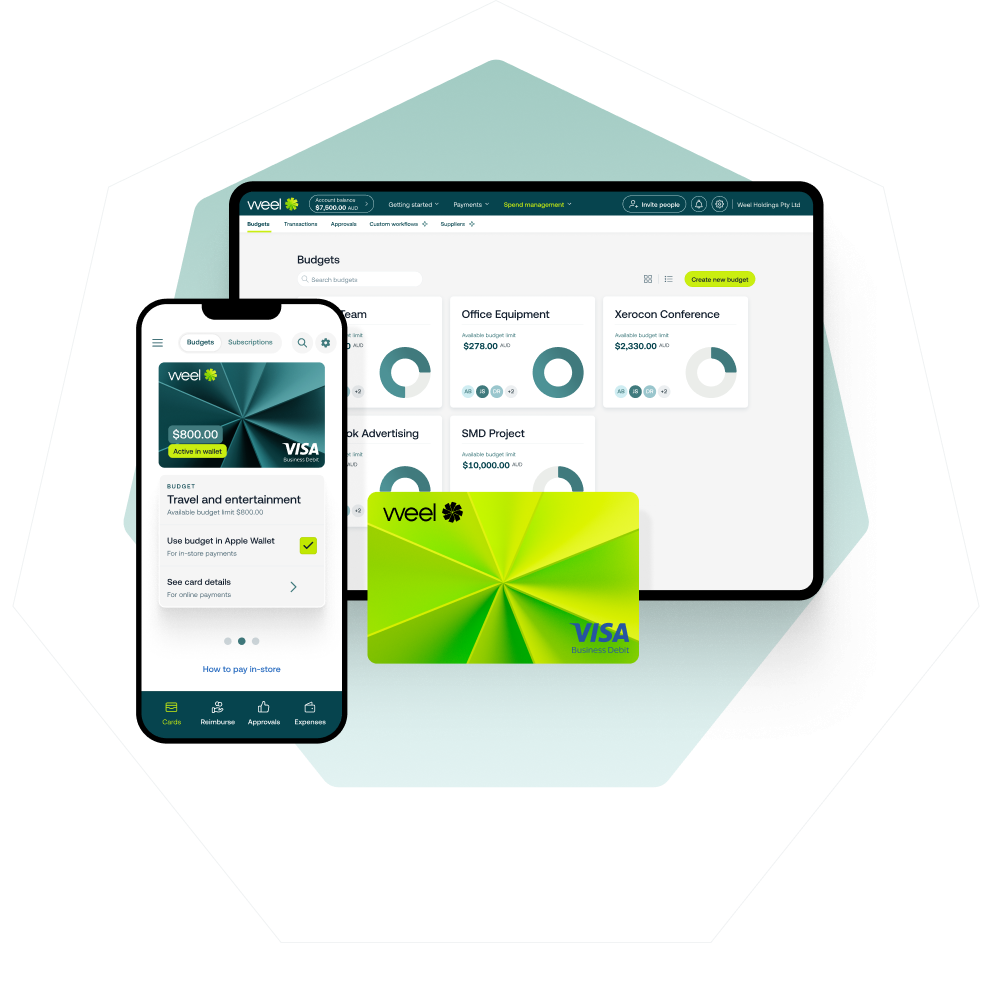
When a card transaction is made, the cardholder receives an immediate receipt prompt. Receipts are captured in the Weel mobile app, matched to the transaction, and coded using Weel's AI. By the time the transaction reaches the finance team, it already has a receipt attached, a category applied, and GST coded correctly.
Approvals route automatically based on your policy. No chasing. No manual reminders.
The result: across 3.9 million transactions processed on the Weel platform, the median time from card swipe to accounting software sync is 2.3 days. Fifty per cent of card expenses are fully manager-approved within 24 hours.
When Weel AI is active, expense completion reaches 99%. Virtually nothing falls through.
Weel integrates directly with Xero, MYOB, and NetSuite. Transactions sync with receipts attached, GST coded, and approved, ready to reconcile in your accounting software without a manual export step. See the full Weel credit card reconciliation product page or explore Weel corporate cards.
Every Expense Complete.
Close Reconciliation Faster, Without the Manual Work
Credit card reconciliation does not have to be a month-end ordeal. When receipts are captured at the point of spend, coding is automated, and approvals happen in real time, reconciliation becomes a confirmation step rather than a cleanup operation.
The finance close process stays the same. The manual work disappears.
If your team is still spending days on what should take hours, book a demo at letsweel.com/demo.