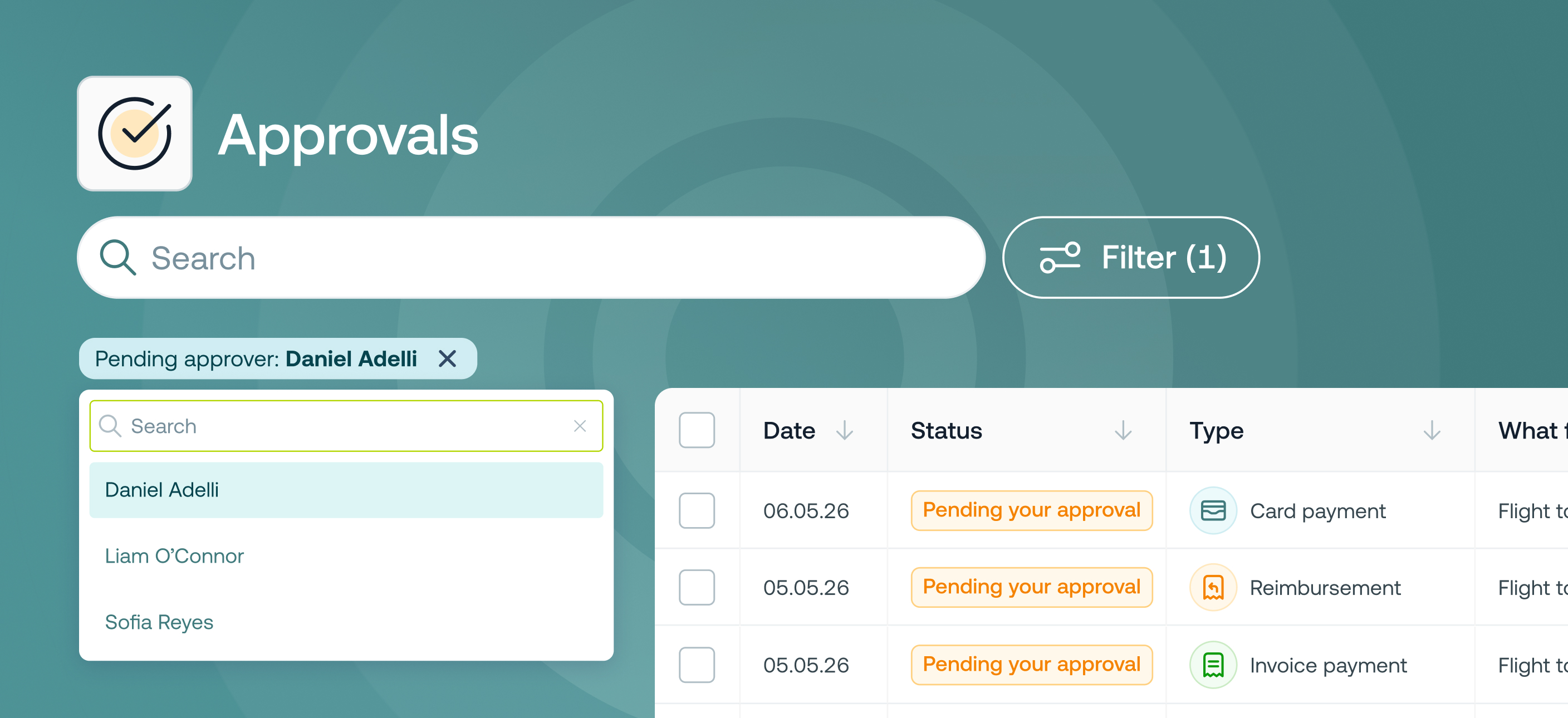

Admins can now filter and search the approvals table by pending approver. This lets you instantly see all items waiting on a specific person, making it easy to follow up with approvers and your month-ends on time. It works across all approval types, and if a stage has multiple approvers, all relevant items for the filtered approver will still appear.
This is available on all pricing plans.
Finance managers and admins who need to unblock month-end by held up by specific approvers.




©2017 - 2026 Weel Holdings Pty Ltd
All rights reserved