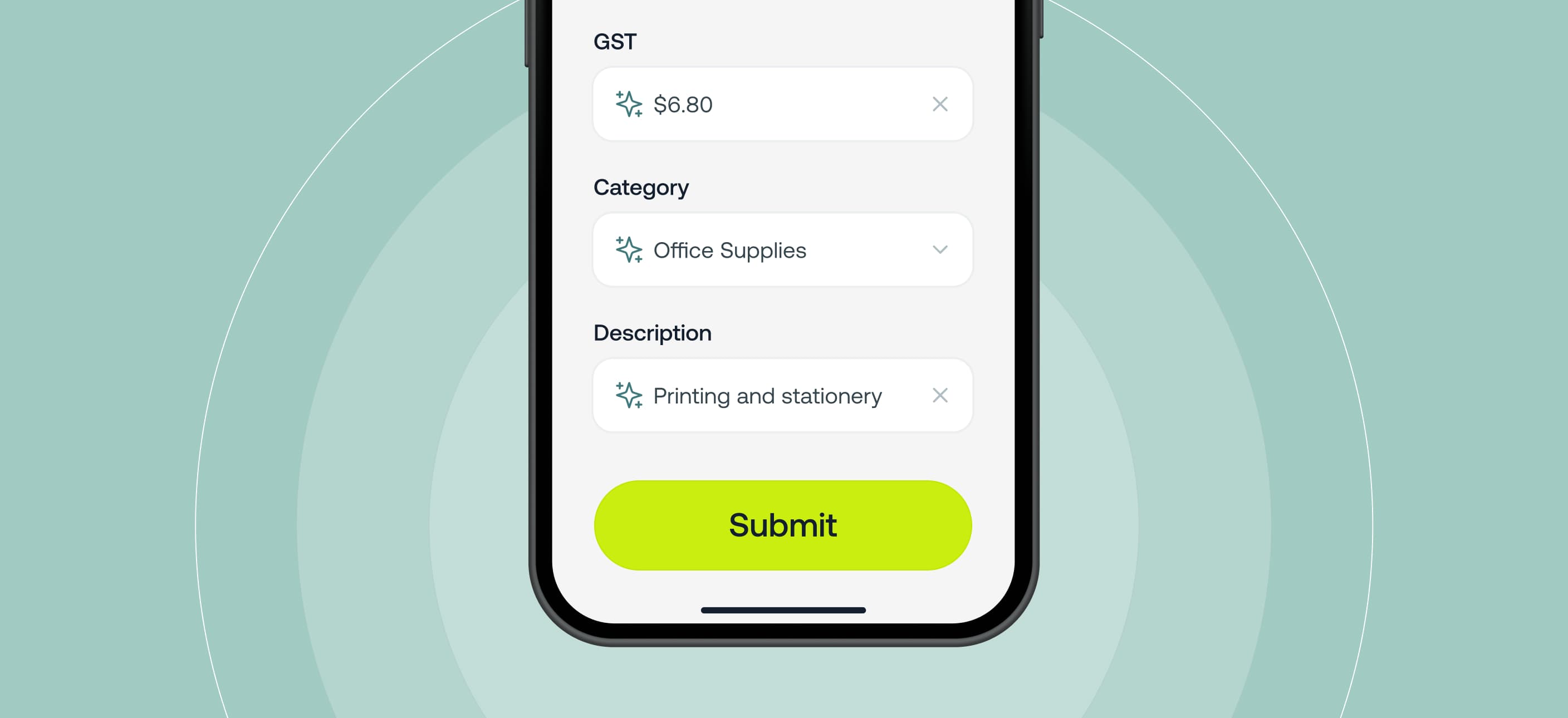
We’ve improved how auto-filled card expenses are completed in Weel. Previously, when a card expense was auto-filled – whether by Weel AI or your automation rules – it would instantly complete and submit without giving the user a chance to review.
With this update, a new Submit button now appears on both mobile and desktop, giving users the ability to review, update and manually submit their card expense before it’s completed or sent for approval.
This keeps the process fast, while ensuring accuracy and control over every claim.
This feature requires the latest version of the mobile app and is available to customers on our Basic, Premium and Enterprise plans.
More control. Users now get a final review step before submission – no more missed or unexpected auto-completions.
Fewer errors. If anything needs adjusting, it can be updated before the expense reaches an approver or appears in your reports.
Same speed, more confidence. Whether auto-filled by Weel AI or an automation rule, the heavy lifting still happens instantly. The new submission step ensures accuracy without adding friction.
Tip: If you’re using Weel AI, edits made before submission help improve future accuracy.




©2017 - 2026 Weel Holdings Pty Ltd
All rights reserved