




What is an AI receipt scanner?
An AI receipt scanner is software that reads a photographed or emailed receipt, extracts the vendor, date, amount and GST, and files it against the right expense record automatically. Most standalone receipt apps stop there. You get a digitised receipt and a category guess. Someone in finance still has to check it, code it correctly and match it to the transaction on the statement.
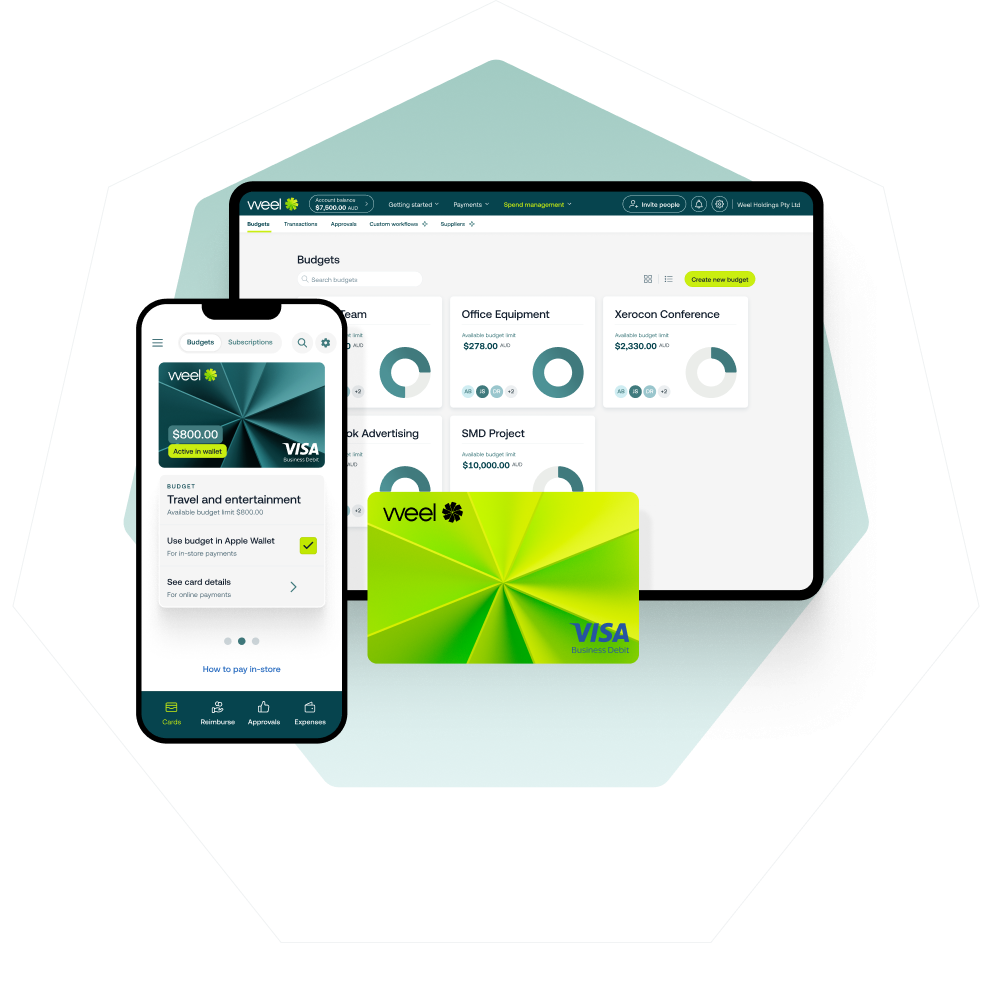
The better version of an AI receipt scanner does not treat the receipt as a document to file. It treats it as the missing half of a transaction that already happened on a card. When receipt scanning is built into the card and expense platform itself, the AI already has the transaction amount, merchant and date. It checks the receipt against that real data, so the categorisation and GST coding it produces is verified, not just guessed from the receipt image. That distinction, receipt capture as a document task versus receipt capture as transaction completion, is the whole difference. It separates the receipt apps that dominate this category from a system built for Australian businesses that actually close the books.
Why "just scan it" isn't the whole job
Search for the best receipt scanner app and you'll find dozens of options built to digitise paper: photograph a receipt, get a PDF or a data export, done. For a solo freelancer keeping records for tax time, that's often enough.
For a business with a finance team, it isn't. A scanned receipt still needs a category. It still needs a GST code that matches what the Australian Taxation Office expects on a valid tax invoice. Those record-keeping requirements don't disappear just because the receipt is a photo instead of paper. It still needs to be matched to the right card transaction, the right cost centre and the right approver. A free receipt scanner app that only digitises the paper hands all of that work straight back to your team, just in digital form instead of a shoebox.
The terms multiply: receipt scanner app, receipts app, app for receipts, receipt keeper, digital receipt scanner, receipt keeping app, receipt management app. The pattern repeats regardless of what you call it. Most are built around basic ocr receipt scanner technology that lifts text off an image and, at best, guesses a rough category. Some brand themselves as the best receipt app or the best receipt scanner app on the market, but few are built specifically for how Australian businesses need GST handled. A simple receipt application aimed at solo tax records is one problem. A receipt management system built for a finance team asking what the best receipt scanner app australia actually has for a growing business is a different one entirely. Most search results only answer the first.
This is where most receipt scanning software plateaus: strong at the capture step, silent on everything that has to happen after.
How AI-powered receipt scanning actually closes the loop

1. The transaction happens on a card, not in an app
The loop starts at the point of spend, not when someone remembers to open a receipt app. Your team pays with a corporate card, and the transaction lands in Weel immediately, with the merchant, amount and time already attached.
2. The receipt is captured and matched automatically
A photo, forward-to-email, or auto-fetch from the merchant attaches the receipt directly to that transaction. Weel already knows the amount and merchant from the card transaction. That means the AI-powered OCR reading the receipt has something real to check itself against, not just an image to interpret in isolation.
3. AI completes the category, GST and description
This is where AI-powered receipt scanning earns the name. Weel's AI agents auto-populate the category, GST treatment and description on eligible transactions, using the transaction and receipt data together. Your team isn't left correcting a guess, the record is built complete.
4. Approval routes automatically
Once the record is complete, it routes to the right approver based on the spend limits and rules your business has set, without anyone chasing a manager for a signature.
5. It syncs to Xero, MYOB or NetSuite, continuously
The completed, GST-coded transaction flows to your accounting platform as it happens, not in an end-of-month batch. Reconciliation stops being a monthly event and becomes something that's already done.
Common mistakes businesses make with receipt scanning
Treating receipt scanning as separate from the card program. A standalone receipt app isn't connected to how your team actually spends money. Someone still has to manually match every digitised receipt to a bank or card statement line. That manual matching step is exactly the work an AI receipt scanner is supposed to remove.
Choosing a free receipt software option built for personal tax records. A free receipt app and free receipt software both look identical to a paid tool at signup, cheap or no cost to scan receipts and store them. That changes when GST season arrives and someone has to reconcile the backlog by hand. Consumer-grade tools built for individual tax receipts rarely handle multi-approver workflows, cost centre coding or GST treatment the way a business finance team needs. Most weren't built with Australian GST rules in mind at all.
Assuming "AI-powered" means no review is needed. AI categorisation and GST coding are strong on eligible, well-formed transactions, but a sensible approval step should still exist for anything unusual. The goal is removing manual data entry, not removing oversight.
Pro tips for getting the most out of an AI receipt scanner
Set your approval rules once, based on spend limits and category, so completed records route themselves instead of waiting in an inbox. Keep receipt capture attached to the card transaction rather than a separate app your team has to remember to open. Check your GST coding on a sample of AI-completed transactions in the first month. It's not because the coding is unreliable, it's so your finance team trusts the pattern before they stop double-checking it.
It's also worth setting a simple rule for what happens when a receipt is missing entirely, a lost paper receipt or a merchant that doesn't email one. Rather than leaving that transaction incomplete indefinitely, decide upfront whether a bank statement line is acceptable evidence under your policy, or whether your team needs to request a duplicate. Deciding this once, in advance, is faster than relitigating it every time it comes up.
How Australian finance teams use Weel for AI receipt scanning
Most receipt scanner apps ask your team to do the digitising and leave the coding, matching and approval to someone in finance. Weel closes the whole loop instead.
Across Weel's platform data, over 60% of receipts are captured within 24 hours of the transaction, with a median receipt capture time of just 4 hours. That's not a scanning app waiting for someone to open it, it's receipt capture built into the same card transaction your team already made.
When Weel AI is active on a transaction, 95% of expenses are fully manager-approved within 30 days, compared to 84.7% without AI assistance. That 10-point difference comes from the category, GST and description already being right the first time. Over 90% of all card expenses reach full manager approval, and half are approved within 24 hours, covering the complete path from receipt to sign-off, not just the scan.
More than 4,000 Australian and New Zealand businesses run their receipt capture through Weel today, as one part of expense management rather than a separate app bolted onto their card program.
Conclusion
A receipt scanner that only digitises paper leaves your finance team to finish the job by hand, every single time. An AI receipt scanner built into your card program finishes it at the point of spend: captured, categorised, GST-coded and ready to sync, before anyone has to chase anything. Book a Weel demo and see a receipt turn into a completed, GST-ready record in real time.