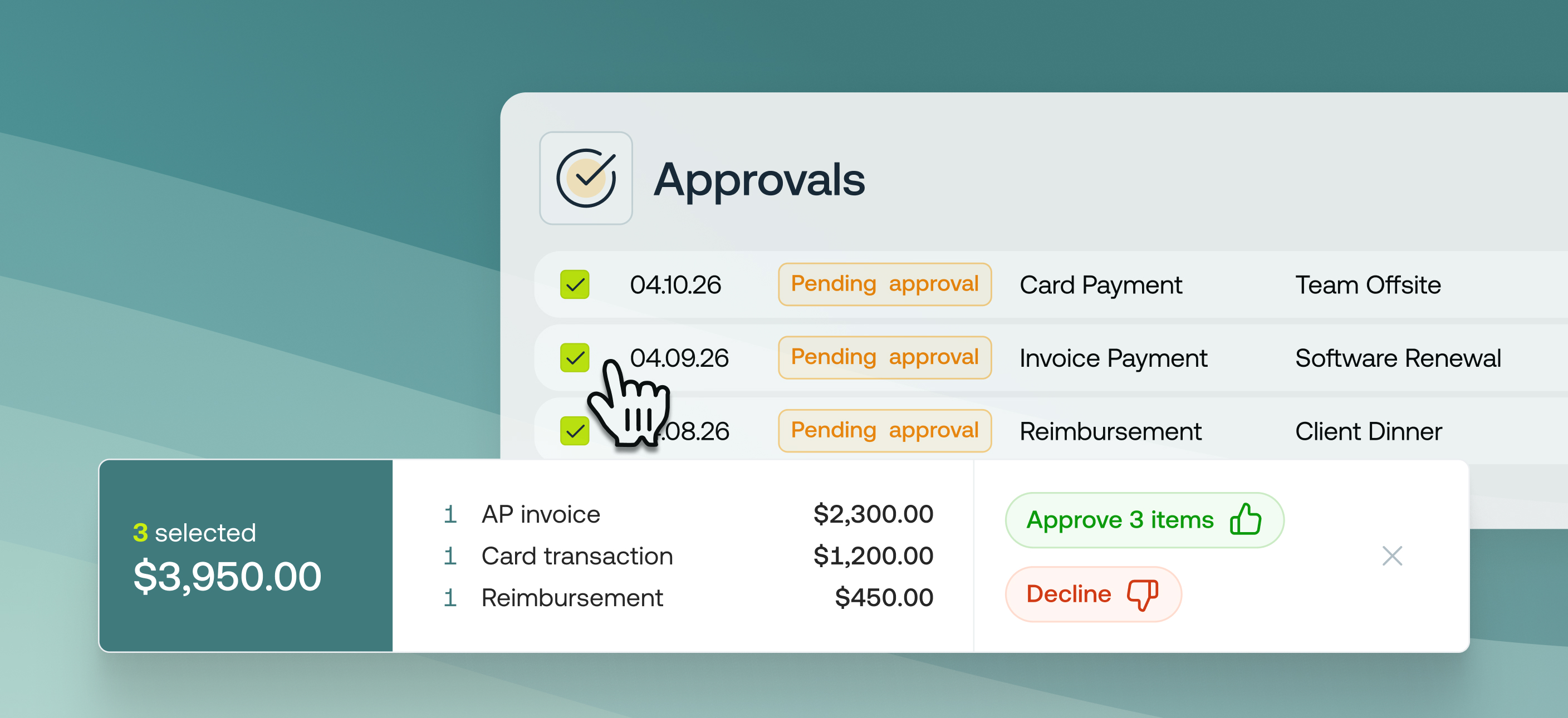
Bulk approvals are now available on the Approvals page, so approvers can action multiple items at once instead of opening them one by one.
Previously, every invoice, reimbursement and top up request had to be approved individually, slowing finance teams down as volumes grow and making approval queues a bottleneck for teams.
From the Approvals page, you can now select multiple pending items across every approval type and approve or decline them in a single action.
Benefits
- Approve in one action. Clear a full queue of pending approvals without opening each item.
- Works across every approval type. Invoices, reimbursements, card transactions and top-ups all approve the same way.
- Set reimbursement dates in bulk. Pick a scheduled payment date for multiple reimbursements at the same time you approve them.
Who its for
This is designed for finance managers, CFOs and approvers who:
- Approve high volumes of approval requests
- Work across multi-layer approval chains
- Want to reduce time spent in approvals without losing per-item oversight
How to get started
- Go to the Approvals page
- Use the checkboxes to select the items you want to approve or decline (Select all picks up everything across pages)
- Review the selected items
- Click Approve or Decline