




June 30 is the end of the financial year in Australia, and it arrives faster than most finance teams expect. This EOFY checklist is for the person whose job it is to make sure every expense is coded, approved, and reconciled before the books close.
Not the accountant lodging the tax return. The Finance Manager or Finance Ops lead who owns the spend layer: the card transactions, the reimbursements, the approval queue, the accounting sync.
Work through these seven items before the financial year end. Each one covers what the manual process looks like, and where the gaps usually appear.
What is EOFY?
EOFY stands for end of financial year. In Australia, the financial year runs from 1 July to 30 June. The financial year end falls on 30 June, and businesses have until 31 October to lodge their income tax return, or 31 March if lodging through a registered tax agent.
For finance teams, EOFY is not just a tax deadline. It is the closing point for every transaction made during the year. Uncoded expenses, unapproved card transactions, and unpaid reimbursements that survive June 30 create problems for the tax return, the audit, and the month-end close that follows.
1. Chase down every outstanding receipt
Every card transaction without a receipt is a gap in the record at the end of the financial year. Receipts close the loop on what was spent, why it was spent, and who approved it. Without them, Finance cannot export a clean file, cannot close the period, and cannot answer questions from the audit.
The manual process: export a list of all unreceipted transactions. Email team members individually. Set a hard deadline. Expect two or three follow-up rounds before the receipts arrive, and one or two that never do.
On Weel, the median time from spend to receipt capture is four hours. Over 90% of card expenses reach full manager approval. Finance teams arrive at the financial year end with a complete record, not a chase list.
2. Approve all pending card transactions
Outstanding approvals at June 30 mean unclosed expenses in your accounting system. Every pending transaction that rolls into the new financial year creates a reconciliation problem for July.
The manual process: review pending approvals manager by manager. Finance tracks down overdue approvals, chases responses, and processes them in batches. The bottleneck is usually the manager who was on leave in June.
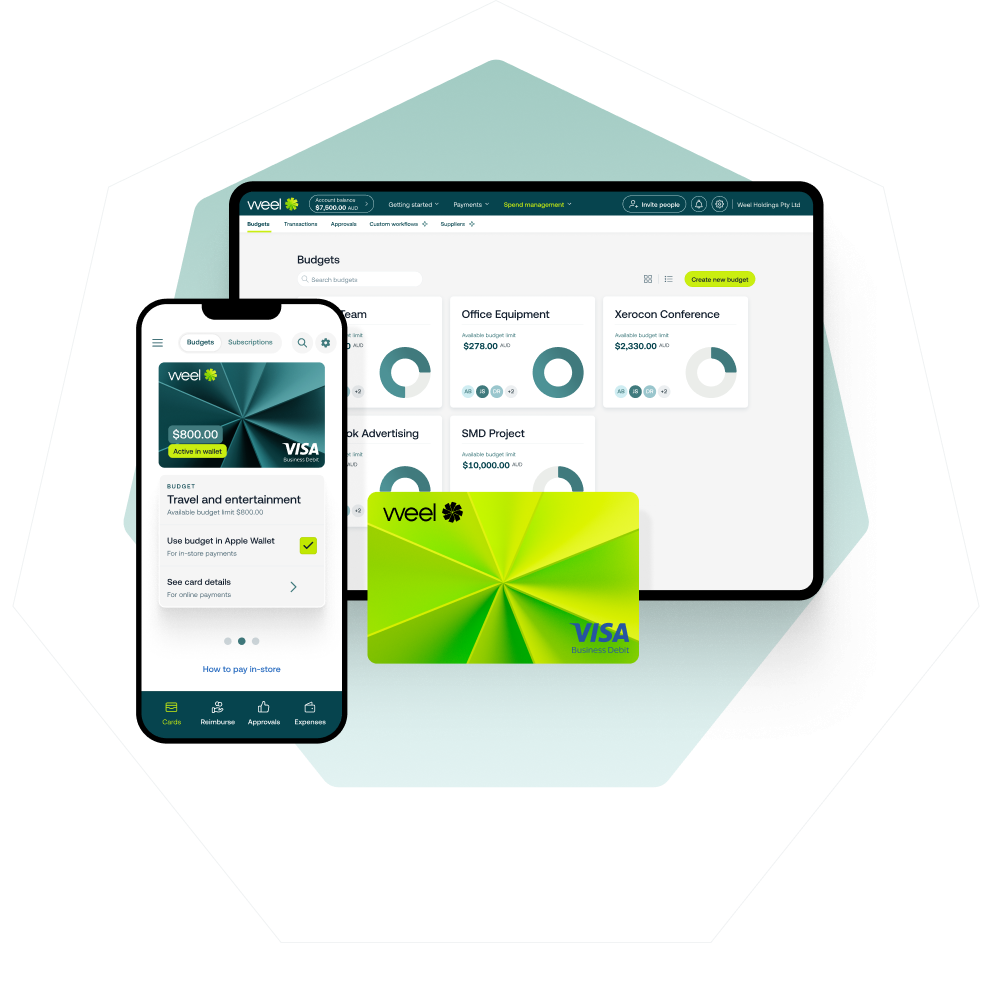
Weel's approval workflows route every transaction to the right approver automatically, with escalation rules for when approvals stall. Over 90% of card expenses reach full manager approval. The approval backlog at EOFY is a problem Weel closes throughout the year, not at June 30.
3. Process all outstanding reimbursements
Unpaid reimbursements at EOFY leave your team out of pocket and leave Finance with obligations that should have been settled before the books closed.
The manual process: collect all outstanding claims, verify receipts, approve, and schedule a payment run. Every step requires someone to follow up, and every step that is skipped leaves an obligation open at the financial year end.
With Weel reimbursements, every claim follows a documented trail from submission through to payment. 95% of reimbursements are fully paid. The median reimbursement is paid within one day of approval. For a detailed walkthrough of how to structure the full process, see expense reimbursement process guide.
4. Review and approve entertainment and discretionary spend
Entertainment and discretionary categories are the most likely to have incomplete descriptions, missing approvals, or ambiguous coding at the financial year end. A cluster of "business meals" entries with no further detail creates reconciliation work in July that should have been resolved in June.
The manual process: filter card transactions by entertainment, meals, gifts, and team event categories. For any transaction missing a clear description or business context, contact the cardholder directly before the financial year end. Incomplete entries cannot be confidently coded and may need correction after the close.
Weel's approval workflows require the business context to be confirmed at the point of approval, not reconstructed weeks later. Entertainment spend arrives at June 30 already described, coded, and approved.
5. Check all GL codes and cost centres
Miscoded transactions are one of the most common reasons month-end close bleeds into July. A transaction coded to the wrong account, the wrong cost centre, or left as uncategorised is an expense reconciliation problem waiting to happen.
The manual process: run a report of all uncategorised or miscoded transactions. Re-code each one manually. Finance cannot export a clean file for accounting sync until this is done, which holds up everything that follows.
When Weel AI is active, it automatically populates category, description, and GST treatment for each transaction at the point of capture. The median time from card swipe to accounting sync is 2.3 days. Finance does not hold up the EOFY export waiting for GL codes to be corrected.
6. Sync to your accounting software
Once all transactions are coded and approved, they need to land in your accounting system with the correct GL code, cost centre, and GST treatment before the financial year end.
The manual process: export a CSV from your card platform, import it into Xero or MYOB, and reconcile line by line. Any miscoded transactions that slipped through require a manual correction in the accounting system before the period can close.
Weel integrates directly with Xero, MYOB, and NetSuite via two-way sync. Transactions arrive in your accounting system already coded, already reconciled, without a CSV export in sight.
7. Run your EOFY expense report
Before you close the books on the financial year in Australia, run a final expense report to confirm the position is complete. Every transaction accounted for. Every receipt attached. Every approval logged. Every cost centre reconciled.
The manual process: pull reports from multiple systems, cross-reference against the accounting software, and flag any discrepancies. At the end of the financial year, discrepancies that should have been caught in April become June 30 problems.
On Weel, every transaction, receipt, approval, and accounting sync is timestamped in a complete audit trail. The EOFY expense report is a filtered export. The work was done throughout the year.
How finance teams use Weel to close EOFY faster
The seven items above describe what EOFY close looks like when it is done manually. For most Australian finance teams, it is two to three weeks of chasing, re-coding, and reconciling that should be a day of confirmation.
Weel is built so that the EOFY checklist is not a sprint. Receipts are captured within hours of spend. Transactions are auto-coded and routed for approval throughout the year. Reimbursements are processed and paid before the financial year end, not after it. The accounting sync runs continuously, not as a June batch job.
Teams on Weel arrive at June 30 with their expense management complete. The EOFY report is confirmation, not reconstruction.
"Every Expense Complete." is not an EOFY sprint. It is the result of a process that runs all year.
Conclusion
The financial year end is June 30. The finance teams that close fastest are not the ones who work hardest in the last two weeks. They are the ones whose expense process produced complete records throughout the year.
Work through this EOFY spend management checklist now. If the manual steps describe your current process, it is worth asking what June 30 would look like if the work was already done.
See how Weel closes every expense automatically by booking a demo today.