





An expense management system gives finance teams total visibility over every dollar spent, from the moment a card is tapped to the second it hits your accounting software. For growing Australian businesses still running approvals through email and receipts through a shoebox, it's the difference between a month-end that takes days and one that's already done.
This guide covers what an expense management system is, how the core workflows operate, what to look for in a modern platform, and how Australian businesses are using automation to close expenses faster than ever before.
What is an expense management system?
An expense management system is software that captures, categorises, approves, and reconciles business expenses in a single, connected workflow. It replaces manual processes (paper receipts, emailed approval requests, spreadsheet coding, and batch accounting uploads) with automated workflows that run in real time.
At its core, an expense management system does four things:
- Captures expenses at the point of spend via corporate cards, mobile receipt scanning, or reimbursement claims
- Categorises transactions automatically using AI-powered OCR and predefined GL code mapping
- Routes each expense through the correct approval chain based on your org structure and expense policies
- Syncs approved, coded expenses to your accounting software (Xero, MYOB, or NetSuite) without manual export
For Australian finance teams, a modern system also handles GST coding and produces audit-ready records for ATO compliance. That distinction matters: generic expense tools often leave GST reconciliation as a manual step. Purpose-built platforms automate it.
Why spreadsheets and email approvals break down
Manual expense management doesn't fail because finance teams aren't diligent. It fails because the process is structurally flawed at scale.
Consider what happens every month in a business without a dedicated system:
- An employee makes a purchase and stores the receipt in their wallet, email inbox, or phone photos
- Days or weeks later, they submit a spreadsheet or PDF reimbursement form
- The finance team manually codes the category, checks the policy, and chases the manager for approval via email or Slack
- The approved expense sits in an inbox until the next accounting upload batch
- Month-end arrives with a reconciliation backlog and missing receipts
Each step introduces delay, error, or both. The finance team spends time on admin that should be spent on analysis. The close takes days instead of hours.
This is the pattern across Australian businesses that haven't yet adopted dedicated expense tracking software. As teams grow, the friction compounds: more transactions, more managers, more policies to enforce, and no single source of truth.
How a modern expense management system works
Receipt capture and auto-categorisation
Modern systems capture receipts the moment a transaction occurs. When a team member uses a corporate card, the system triggers an automatic receipt request via SMS or push notification. They photograph the receipt with the mobile app; AI-powered OCR extracts the merchant, amount, date, and GST. The transaction is auto-categorised based on merchant type and your chart of accounts.
For reimbursements, team members submit claims directly in the app. The same AI-powered receipt scanning applies, with no manual data entry required.
The result: receipts captured within hours, not weeks. Across millions of transactions on the Weel platform, the median receipt capture time is 4 hours from the point of spend.
Approval workflows and policy enforcement
Once a transaction is coded, the system routes it through your approval workflow automatically. Approval hierarchies are configured in advance by department, cost centre, amount threshold, or manager hierarchy. Dynamic approvals mean that a $500 travel expense routes to one approver, while a $5,000 equipment purchase escalates to a second level.
Policy enforcement runs at the same time. Out-of-policy flagging catches expenses that exceed category limits or fall outside approved merchant types before they reach the approver. Separation of duties is built in: the person spending cannot approve their own expense.
Businesses using approval workflows on Weel reach 95% expense completion, compared to 88% for businesses without structured workflows. That's a 7-point lift in compliance with no additional headcount.
Accounting integration and reconciliation
Approved, coded expenses sync directly to your accounting software, without a CSV export or manual journal entry. Two-way sync with Xero, MYOB, and NetSuite means that GL code mapping, GST coding, and cost centre tracking are maintained automatically. Bank reconciliation becomes a confirmation step, not a data-entry exercise.
The median time from card swipe to accounting sync on the Weel platform is 2.3 days, covering receipt capture, coding, and manager approval. For finance teams preparing for month-end close, that speed is the difference between closing on time and closing late.
Reimbursements
For out-of-pocket expenses, a modern expense management system replaces paper forms and bank transfer batches with an automated reimbursement workflow. Team members submit claims with receipts attached; approvals route automatically; payments are processed via direct entry to their bank account.
Across Weel's platform, 50% of reimbursements are paid to team members within 24 hours of submission, and over 80% within a week.
What to look for in an expense management system
Not all expense management software is the same. For Australian finance teams evaluating options, these are the capabilities that determine whether a system actually closes the loop or just moves the admin around.
Core capabilities:
- AI-powered OCR for automatic receipt scanning and data extraction
- Approval workflows with multi-level approvals and dynamic approvals based on amount or type
- Policy enforcement with out-of-policy flagging built into the approval chain
- Real-time reporting with spend analytics, budget tracking, and cost centre tracking
- Accounting integrations with Xero, MYOB, and NetSuite (two-way sync, not one-way export)
- GST coding and audit-ready records for ATO compliance
For growing teams:
- Virtual cards and physical cards with spend limits and transaction-level controls
- Role-based access so finance controls who sees what
- Mileage tracking for field-based teams
- Billable expenses flagging for project-based businesses
For mid-market businesses:
- Multi-level approvals and approval delegation for complex org structures
- Custom fields and project tracking for cost allocation across departments or grants
- SSO and SCIM for IT-managed user provisioning
- ERP integration with NetSuite or SAP for larger finance operations
Cloud-based deployment means no infrastructure to manage and instant access for remote or field-based teams, which is critical for businesses with multiple locations or distributed workforces.
Common challenges when transitioning from manual processes
Switching to an expense management system solves most manual process pain, but the transition has predictable friction points worth preparing for.
Adoption: The system only works if your team submits receipts and uses the mobile app consistently. The best platforms send automated receipt reminders immediately after a transaction, removing the dependency on memory.
Policy configuration: Expense policies need to be defined clearly before they can be enforced automatically. Finance teams that invest time upfront in configuring approval hierarchies and category limits get significantly higher completion rates than those that leave policies undefined.
Integration setup: A two-way sync with Xero or MYOB requires chart-of-accounts mapping. Most platforms provide guided setup, but finance teams should allocate time to map GL codes correctly before go-live.
Change management: Managers accustomed to approving via email sometimes resist moving to an approval workflow. Framing approvals as a one-tap action (not a new process) reduces friction.
How Australian finance teams use Weel for expense management
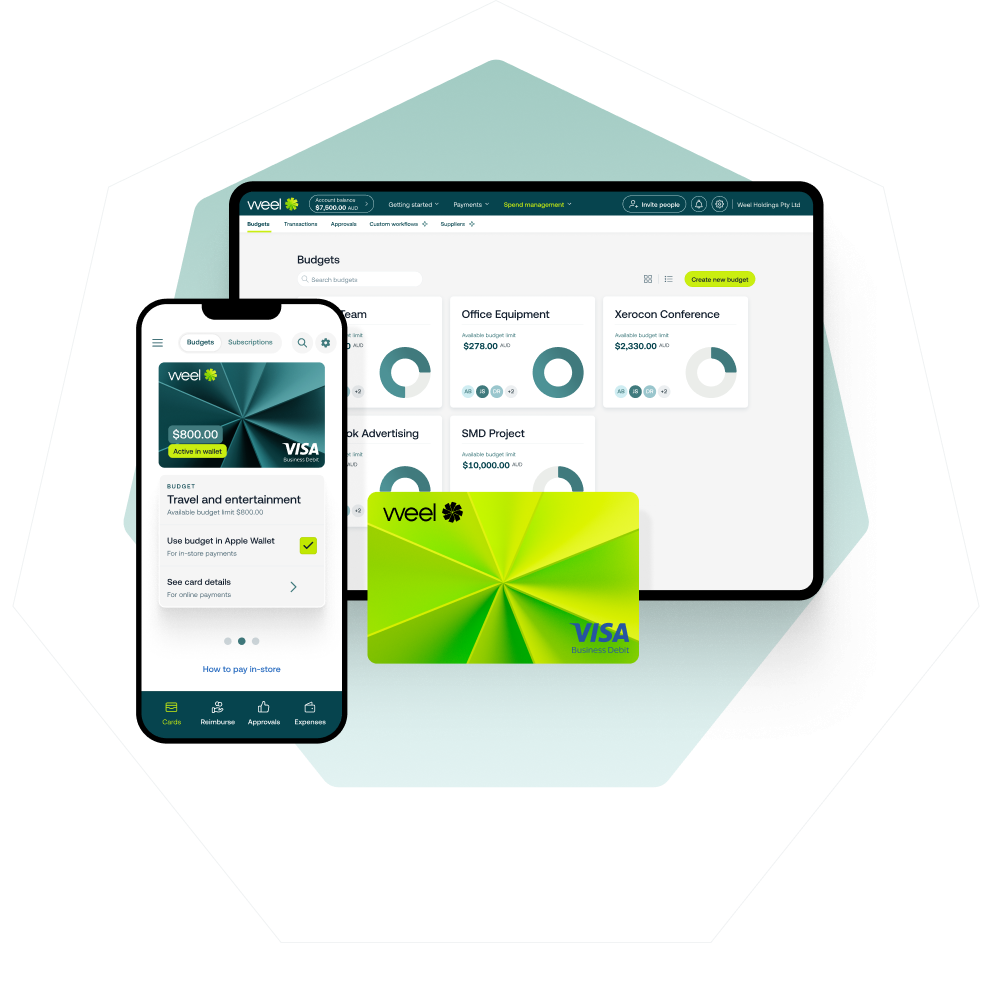
Weel is an expense management platform built for Australian businesses. It covers the full expense loop: corporate cards with real-time controls, AI-powered receipt capture, automated approval workflows, reimbursements, and direct sync to Xero, MYOB, and NetSuite.
Over 4,000 Australian businesses run their expense management on Weel. Across 3.9 million card transactions in the last 12 months, over 90% reach full manager approval. Half are fully approved within 24 hours. The median approval time is 8 hours.
That performance is built on three things:
AI that completes the work. When Weel AI is active, AI-powered OCR reads receipts instantly, auto-categorises the transaction, and pre-fills the GST field. Team members confirm rather than code. When Weel AI is active, 95% of expenses reach full approval within 30 days, 10 points ahead of non-AI-assisted transactions.
Approval chains that enforce policy. Weel's approval workflows route every expense to the right manager automatically. Out-of-policy flagging catches exceptions before they reach the approver. Nothing sits in an inbox waiting for a reminder.
Real-time accounting sync. Every approved expense syncs to Xero, MYOB, or NetSuite automatically. The reconciliation backlog disappears. Finance teams get to month-end before month-end.
The Weel loop: receipt captured at spend, coded by AI, routed to the right approver, approved in hours, synced to accounting automatically. Every expense complete.
Conclusion
An expense management system replaces the broken manual loop with one that runs automatically. For Australian finance teams, the right platform captures GST at the point of spend, enforces policy in real time, routes approvals without reminders, and syncs to your accounting software the same day.
If your team is still chasing receipts and closing months late, it's time to see what a modern system looks like in practice, book a demo to speak with a specialist about your specific setup.