




Disclaimer: This article provides general information only and is not tax or financial advice. Tax obligations vary by business type and circumstance. We recommend consulting a registered tax agent or visiting ato.gov.au for guidance specific to your situation.
Most accounts payable delays don't start at the invoice, they start at approval: a bill that's captured and coded correctly, then sitting in someone's inbox while the approver is in back-to-back meetings or travelling. AP approval software closes that gap. It routes every invoice to the right approver automatically, applies your spending policy without a reminder email, and gives your accounts payable manager one place to see exactly what's stuck and why. This guide covers what AP approval software actually does, and how to automate accounts payable approvals step by step, so invoices stop waiting on a person.
What is AP approval software?
AP approval software is the layer that sits between "invoice captured" and "invoice paid." Once a bill is entered and coded, an AP approval workflow routes it to the right person automatically, applies your spending thresholds, and records who approved what and when. It's sometimes marketed as invoice approval software or bundled inside wider automated invoice processing software, but the job is the same: get sign-off without anyone chasing it. For the full definition of accounts payable and how it fits into your finance function, read What is accounts payable? A simple guide for modern finance teams.
Whether your team searches for accounts payable software or account payable software, the approval layer is where most delays actually live. AP invoice automation and accounts payable invoice automation both tend to focus on capture and coding. Approval is the step they leave half-solved.
Most accounts payable software includes some form of AP invoice approval, but the quality of that workflow varies enormously. A basic system routes every invoice to a single approver, regardless of amount or department. Real accounts payable automation software builds routing rules by dollar value, cost centre, vendor and department, with automatic escalation when an approver hasn't acted within a set number of hours. For an accounts payable manager, that's the difference between chasing sign-off all day and getting on with the rest of the job.
Even accounts payable software for small business now includes some form of automated routing, though the depth of the accounts payable automation systems behind it varies enormously between products. For Australian and New Zealand businesses, this matters beyond speed. The ATO requires most businesses to keep records of their transactions, generally for five years. An AP approval workflow that logs every action automatically gives you a record of who approved what and when, without a spreadsheet or a chase through old emails.
Why AP approval delays happen
Ask any accounts payable manager where invoices actually get stuck, and the answer is rarely data entry. It's approval. Older accounts payable systems, and even some accounts payable programs built in-house, were designed around a single approver by default. A few patterns show up again and again:
None of this is free. A late invoice can mean late payment fees and a supplier chasing your team instead of the other way around. It can also mean a scramble at BAS time to match GST credits to invoices that were only approved weeks after they arrived. Your accounts payable system should show exactly where every invoice sits, not just that it exists somewhere in the queue.
Each of these is a workflow design problem, not a people problem. For a broader view of where approval sits in the wider AP cycle, from purchase order through to reconciliation, see Accounts payable process and procedures: the complete guide to automated, efficient AP.
How to automate accounts payable approvals
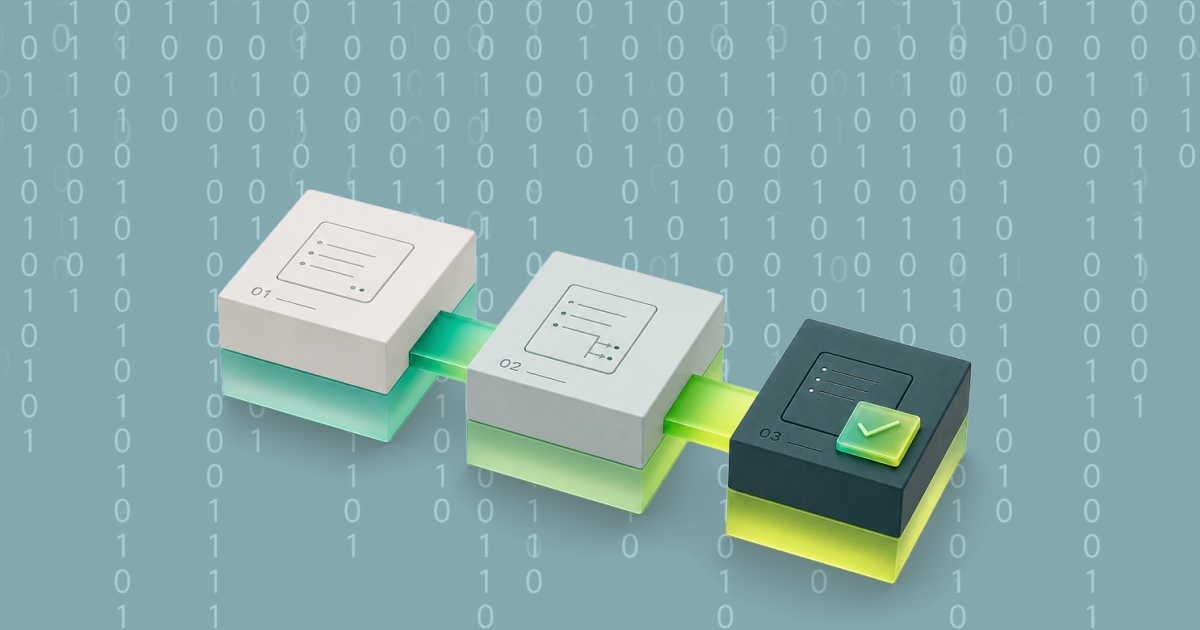
Automating your AP approval workflow isn't a single toggle. It's a short, deliberate sequence that removes the manual handoffs one at a time. Accounts payable process automation and accounts payable workflow automation only deliver full value once approval, not just capture, is part of the build.
Step 1: Map your current AP approval workflow
Before you automate anything, write down what actually happens today: who approves what, at what dollar value, and what happens when that person is unavailable. Most finance teams find the real process looks nothing like the one written in the policy document. This is where the delays usually surface first, so include how long invoices typically wait at each stage. If you don't already track this, even a rough estimate from your accounts payable team is enough to start.
Step 2: Set approval thresholds and routing rules
Define who approves what by amount, cost centre, department and vendor. Recurring, budgeted spend under a set threshold can often skip a second approval altogether. This is the point where accounts payable automation stops being generic and starts matching how your business actually spends. Set a rule for what happens when an approver is on leave, so the workflow keeps moving without someone manually reassigning it.
Step 3: Connect approvals to your accounts payable automation software
Your accounts payable software should route invoices to the correct approver the moment they're captured, without anyone forwarding an email. Look for accounts payable automation software that supports multi-level approval, mobile approvals for people who aren't at a desk, and clear rules for who's next in line. Confirm it also handles three-way matching against purchase orders and receipts, so approvers are reviewing accurate information rather than a bare invoice total. If you're comparing your options, our guide to AP automation software: what it does and how to choose for Australian businesses sets out what to look for.
Step 4: Build in automatic reminders and escalation
An AP approval workflow only works if a stalled invoice moves itself along. Set an escalation rule: if an approver hasn't actioned an invoice within a set number of hours, it reminds them automatically, then escalates to a backup approver. Nobody should have to remember to chase. For example, you might set a single reminder after 24 hours and a hard escalation after 48, then adjust based on how fast the business needs invoices to move.
When invoices do pile up, for example while an approver is on leave, bulk approvals clear the backlog in one action. Weel's bulk approvals approve up to 100 invoices at once, in all plans, so a stalled queue doesn't mean a stalled payment run.
Step 5: Sync approved invoices straight through to your books
Once an invoice clears approval, it should flow through to payment and your accounting platform without anyone re-keying it. This is where accounts payable automation pays off at month-end: every approved invoice is already coded, matched and ready for reconciliation, so close doesn't start with a backlog. Payment automation software should schedule and process the payment automatically once approval clears, then sync straight to your books. This step is also where most manual accounts payable work used to live, so removing it is often the single biggest time saving in the whole process.
Weel's batch payments extend that same automation to payment runs. Submit approved invoices as a batch of up to 100 invoices and they appear in a "Ready to pay" tab, with an optional payment date (or leave it open). The batch gets its own sign-off, separate from invoice approval, and payments still execute individually. BPAY bills to councils, utilities, telcos and the ATO are paid straight from Weel: the biller code and CRN are read from the invoice, and the same approval workflow applies. For an accounts payable manager running a weekly or fortnightly payment run, that turns payment day into one batch sign-off once approvals clear.
Common mistakes that slow down AP invoice approval
Automating routing doesn't remove every bottleneck by itself. A few mistakes show up often even after AP approval software is in place:
Pro tips for a faster AP approval workflow
Once your AP approval workflow is running, a few habits keep it fast:
How Weel closes the AP approval gap
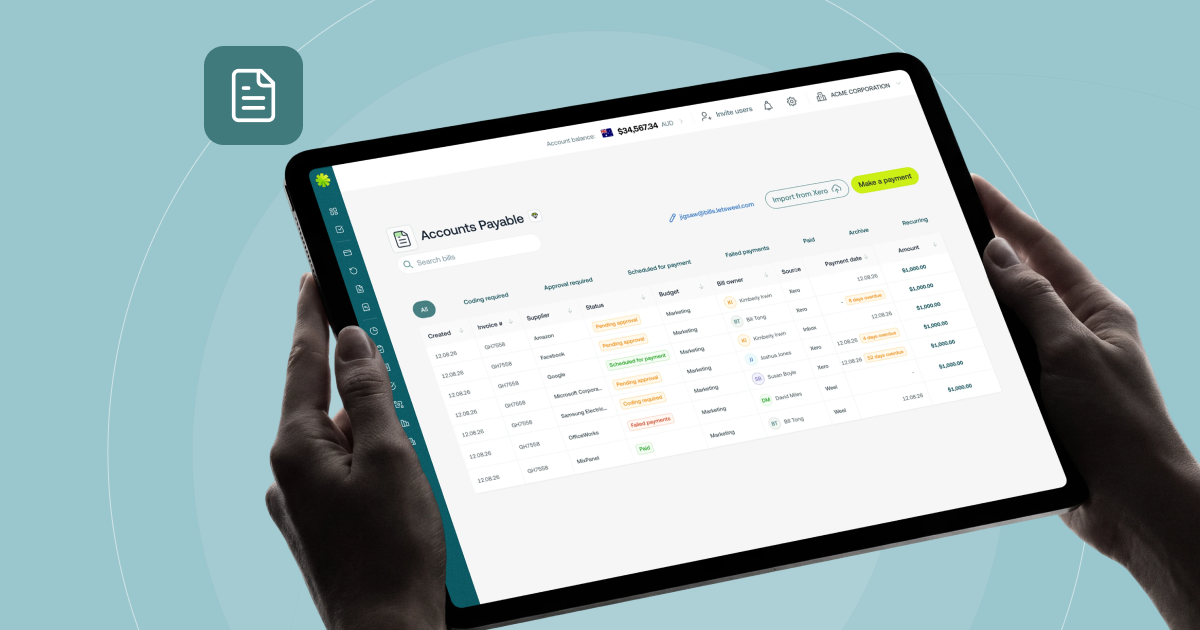
Weel's accounts payable routes each invoice to the right approver by amount, department, supplier category, GL code, cost centre, budget, role or named approver, and records every decision in the audit trail. That consistency is what closes the books with confidence: no chasing sign-off in the final days of the month, and no invoices rediscovered after the period is already closed.
That's the difference between an AP approval workflow that exists on paper and one that actually runs itself. With Weel, invoices route to the right approvals and policy rules automatically and sync through to your books once approved. Bulk approvals clear a backlog of up to 100 invoices at once. Once approval clears, payment follows: batch payments send up to 100 approved invoices out in a single payment run after one separate batch sign-off, and BPAY bills settle from the same approval workflow without anyone switching to a separate banking portal. Your accounts payable close doesn't start with a pile of unapproved invoices.
For your accounts payable manager, that's the end of the chase. For your finance manager or controller, that's a close that holds up every month, because nothing sits waiting on a person.
The bottom line
AP approval delays are a workflow problem, and workflow problems have a fix. Map where invoices actually stall, set routing rules that match how your business spends, add automatic escalation, and connect approval straight through to payment and reconciliation. Get that right, and accounts payable stops being the thing your finance team chases at month-end. See Weel's approval workflows to see how automated AP approval works in practice.