





Disclaimer: This article provides general information only and is not tax or financial advice. Tax obligations vary by business type and circumstance. We recommend consulting a registered tax agent or visiting ato.gov.au for guidance specific to your situation.
Why accounts payable software for bookkeepers has to handle more than one client
Payables for one business is routine. Across several clients, every part multiplies. A typical client run looks like this:
- Approvals by email. Invoices arrive by email or an extraction tool, get coded, and go out for approval by email. Then you chase. The client's payment date arrives before the approval does. Our guide to fixing AP approval delays covers the wider pattern.
- A second approval loop. Once invoices are approved, the batch goes to the owner or director for sign-off, and you wait again.
- A bank file and a bank portal. The payment run is exported as a bank file, uploaded to the bank, and released in the bank portal.
- BPAY codes typed by hand. Biller codes and customer reference numbers are keyed into the bank portal one bill at a time.
- Different accounting software per client. One client is on Xero, another on MYOB, a third on Business Central. You work across tools instead of one process.
Good accounts payable software for bookkeepers removes each of those steps, so the work runs the same way for every client. Weel's accounts payable is built around one line: capture, approve and pay, all in Weel. See the full product on the Weel accounts payable page.
Capture client invoices and import suppliers
Capture is where client work usually piles up. In Weel, AI extracts the details from every invoice, so your team is not retyping supplier names, amounts and dates. Each business assigns itself a dedicated email address and forwards invoices to it, so client invoices arrive in one place rather than across inboxes.
Suppliers import in one click. For a new client, that means you skip building a supplier list by hand. See what to look for in supplier management software.
Approvals follow the rules the business sets
The business adds you to its Weel account and sets the access you work within. Inside that access, you can code, review and approve invoices.
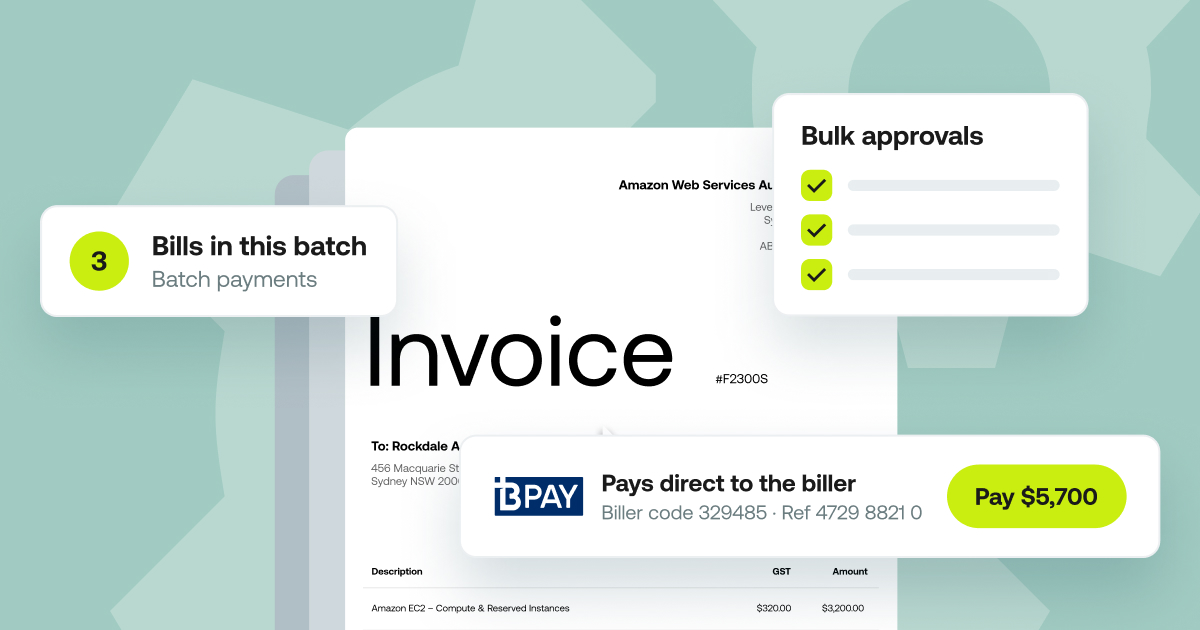
Weel routes invoices for approval by amount, department, supplier category, GL code, cost centre, budget, role or named approver, so the approval path matches how each client already works. When approvals stack up, bulk approvals approve multiple invoices at once, up to 100 at a time, in all plans.
Pay BPAY bills and batch payments without a client bank login
This is the step that usually sends the work back to the bank, and it is where accounts payable software for bookkeepers earns its place.
BPAY
Weel pays BPAY bills straight from the platform: councils, utilities, telcos and the ATO. The biller code and CRN are read from the invoice, and the invoice goes through the same approval workflow as every other invoice. There is no separate BPAY process to learn and no typing codes into a bank portal.
Batch payments
Submit approved invoices as a batch for one payment run, up to 100 invoices per run, in all plans. Batches appear in a "Ready to pay" tab. You set an optional payment date or leave it open, and every batch and its status is visible. The batch gets its own sign-off, separate from invoice approval, so the owner or director approves the run in Weel instead of in an email and a bank portal. Payments still execute individually.
The bank login stays with the client
Payments in Weel run from the business's Weel balance, so you do not need the business's bank login to pay BPAY bills or run a batch. You keep the work and the visibility.
Bank transfers, domestic and international, are also payment methods in Weel. International transfers carry a flat 0.95% FX fee.
Sync every client to Xero, MYOB AccountRight or Business Central
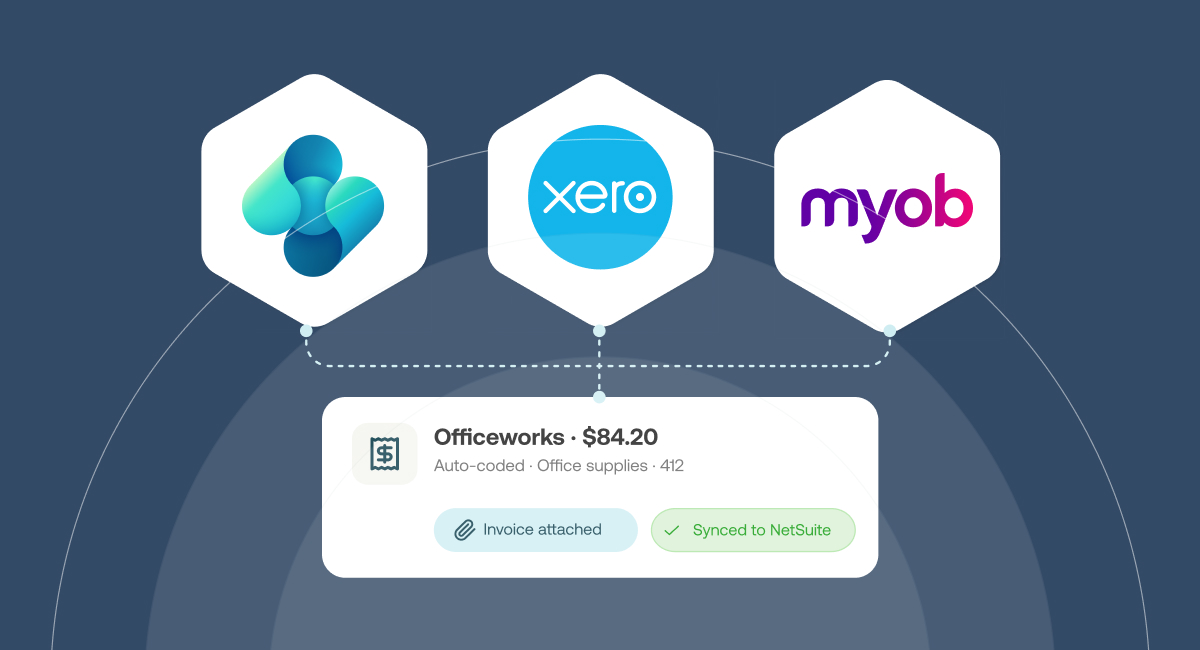
Your clients keep the accounting software they already use. Weel integrates with:
- Xero, with two-way AP sync of bills and payments.
- MYOB AccountRight, with two-way AP sync of bills and payments, in all plans.
- Business Central, on the Enterprise plan only, syncing bills and suppliers.
That covers the mix many practices carry, so you run the same process whichever platform a client picks. See the best bookkeeping software for Australian businesses, and the 3 must use tools for tech-savvy accountants.
Duplicate invoice and changed bank details checks before payment
Two checks run before any payment goes out. Weel runs a duplicate invoice check, so the same invoice is not paid twice because a supplier resent it or two people forwarded it. Weel also runs a changed bank details check, so a supplier whose details changed is caught before payment, not after.
The supplier view and credit notes
For any supplier, Weel shows all invoices, purchase orders and credits in one place, plus historical spend. When a client asks what they have paid a supplier this year, you have the answer on one screen.
Credit notes are recorded and applied against suppliers in Weel. A supplier credit sits against the supplier record instead of in a spreadsheet. If you want the full process behind this, see our accounts payable process guide.
Move a client over in five steps
The setup is five steps:
- Connect your accounting platform. Xero, MYOB AccountRight or Business Central (Enterprise plan).
- Import suppliers. One click.
- Set your approval workflow. Approval rules do not copy across automatically from the client's old setup, so you set them up in Weel. Match the routing you already use: by amount, department, role or named approver.
- Choose how you pay. BPAY, bank transfer, or batch payments.
- Pay your first invoice.
Repeat the five steps for each client, and the process stays the same however many clients you add.
See Weel AP in action
If you manage accounts payable for multiple clients, the test is simple: can you code, review and approve their invoices, pay BPAY bills and batches, and keep the bank login with the client? Weel does all of it. AP is included with every Weel plan.