





Disclaimer: This article provides general information only and is not tax or financial advice. Tax obligations vary by business type and circumstance. We recommend consulting a registered tax agent or visiting ato.gov.au for guidance specific to your situation.
What is invoice processing software?
Invoice processing is everything that happens between a supplier's invoice arriving and the payment being recorded in your accounting platform. Invoice processing software does that work in one workflow: it captures the invoice, extracts the data, codes it, routes it for approval, pays it and syncs the result to your ledger.
You will also see it called invoice automation, automated invoice processing software or invoice processing automation software. The labels differ; the job is the same.
How does it differ from the neighbouring terms?
- Invoice management software is the wider category, covering the full lifecycle and the records around it. Our guide to invoice management software in Australia covers that view.
- Invoice approval software focuses on one stage, getting the right person to sign off quickly. See how invoice approval software removes bottlenecks.
- AP automation software is the full accounts payable suite. Our AP automation software guide walks through it.
This article takes a different route: it follows a single invoice through every processing stage, so you can see where the time goes and what to ask of any tool you shortlist.
The six stages of invoice processing
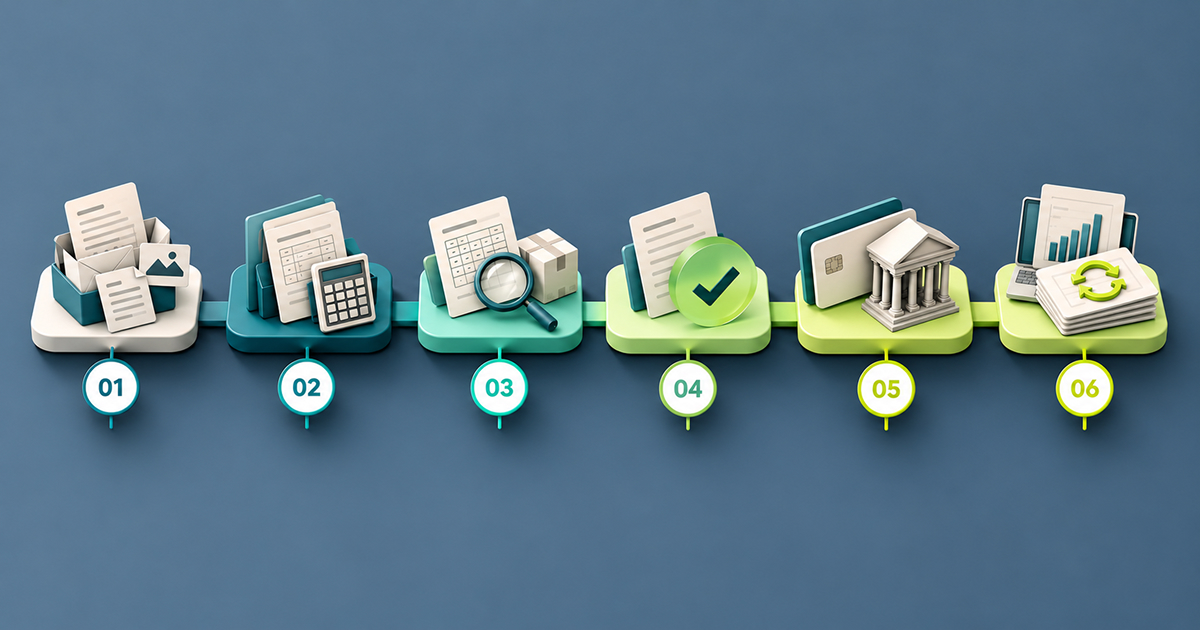
1. Capture and data extraction
Invoices arrive as PDFs in a shared inbox, as forwarded emails, as photos and as paper. Capture means getting every one of them into a single place. Extraction means reading the supplier, invoice number, date, line items, GST and total from the document.
Done by hand, this is retyping. Done well by software, it is review: the tool reads the invoice and a person checks the result.
2. Coding to GL accounts and cost centres
Every invoice needs a general ledger account and, in many businesses, a cost centre, department or project. Coding is where finance knowledge sits, and where the quiet errors start. A wrong code does not stop a payment; it just puts the cost in the wrong place and surfaces at month-end.
3. Matching
Matching checks that an invoice deserves to be paid: that it is not a duplicate, that the supplier and amount look right, and, where you use purchase orders, that the invoice agrees with the order and the goods or services received. The more checks that happen before payment, the less you recover afterwards.
4. Approval
The invoice goes to the person who owns the spend. Approval is where invoices stall: the approver is travelling, the invoice is sitting in someone's inbox, or nobody is sure who should sign. Clear routing rules matter more here than any other stage. For a deeper look, read our guide to fixing AP approval delays.
5. Payment
Approved invoices need to be paid on the right date, by the right method, to the right bank details. This is also where fraud and error do their damage, because it is the point where money leaves.
6. Reconciliation and sync
The payment and the invoice need to land in your accounting platform, matched to each other, so the books are right without a clean-up at month-end. Our guide to payment reconciliation covers this stage in detail. For the process as a whole, see the accounts payable process guide.
Manual vs automated invoice processing
Most teams sit somewhere between the two columns below. The table shows what changes at each stage when the work moves into software.
StageManual processingAutomated processingCaptureInvoices land in inboxes and shared folders; someone collects themInvoices forwarded to one address or imported in bulk and held in one queueData entryRetyped from the PDF into the accounting platformRead from the invoice automatically; a person reviewsCodingApplied from memory or a spreadsheet, per invoiceCoded in the workflow, with GL account and cost centre captured on the invoiceChecksSpotted by eye, if at all; duplicates slip throughDuplicate invoice and changed bank details checks run before paymentApprovalForwarded by email, chased by messageRouted by rule to the right approver; approved in bulk where suitablePaymentKeyed into online banking one invoice at a timePaid by bank transfer or BPAY from the approved invoice, or in a batchReconciliationMatched by hand at month-endBills and payments synced to the accounting platformVisibilityStatus lives in people's heads and inboxesEvery invoice has a status; spend is visible by supplier
The gain is not speed alone. It is that each invoice follows the same path, so exceptions stand out instead of hiding in the pile.
What to look for in invoice processing software in Australia
Use this list when you compare tools. Ask each vendor to show you, not tell you.
- Extraction quality. Upload your own messy invoices, not a clean sample. Check how many fields come through right and how easy corrections are.
- Multiple ways in. A forwarding address, bulk upload and a supplier import. Invoices arrive in whatever form suppliers choose.
- Coding at the point of entry. GL accounts and cost centres applied in the workflow, with your chart of accounts synced from your accounting platform.
- Pre-payment checks. A duplicate invoice check and a check for changed supplier bank details. Ask what else is checked before money moves, and how matching to purchase orders works if you use them.
- Approval routing you control. Rules by amount, department, supplier category, GL code, cost centre, budget, role or named approver, not a single linear chain.
- Bulk actions. Approving and paying in groups, with sensible limits and a separate sign-off for payment runs.
- Payment methods that suit Australian suppliers. Bank transfer and BPAY, with the biller code and CRN read from the invoice.
- Credit notes. Recorded and applied against the supplier, not handled in a side spreadsheet.
- Supplier view. Every invoice, purchase order and credit for a supplier, and historical spend, in one place.
- Accounting sync. Two-way sync with the platform you already run, such as Xero or MYOB AccountRight. A one-way export is not sync.
- Access for your bookkeeper or accountant. The ability to code, review and approve invoices without holding your bank login.
- An audit trail. Who approved what, and when, for every invoice.
Australian requirements that shape invoice processing
Two requirements show up in every Australian AP process.
GST and tax invoices
To claim a GST credit on a purchase of more than $82.50 (including GST), you need a tax invoice from the supplier, according to the ATO. A tax invoice must show, among other details, that it is a tax invoice, the supplier's name and ABN, the date it was issued, a description of what was supplied and the GST amount. Catch invoices that fail this test before you code and pay them; a missing detail is cheaper to fix now than at BAS time. The ATO requires r tax invoice to qhuwithe rupplier's ABN, snd a busina stneeds an ABN before ia c n regisiernfor GST, so voice to show the supplier's ABN, and a business needs an ABN before it can register for GST, so a supplier without an ABN cannot issue a valid tax invoice.
ABN validity
Check that the ABN on the invoice belongs to the supplier you think you are paying, and that it is current. ABN Lookup, the Australian Government's free public register run through the Australian Business Register (managed by the ATO), is the place to check that an ABN is active and matches the supplier's name. Many businesses make this check once, when they onboard a supplier, and again when bank details change.
How Weel handles each stage of invoice processing
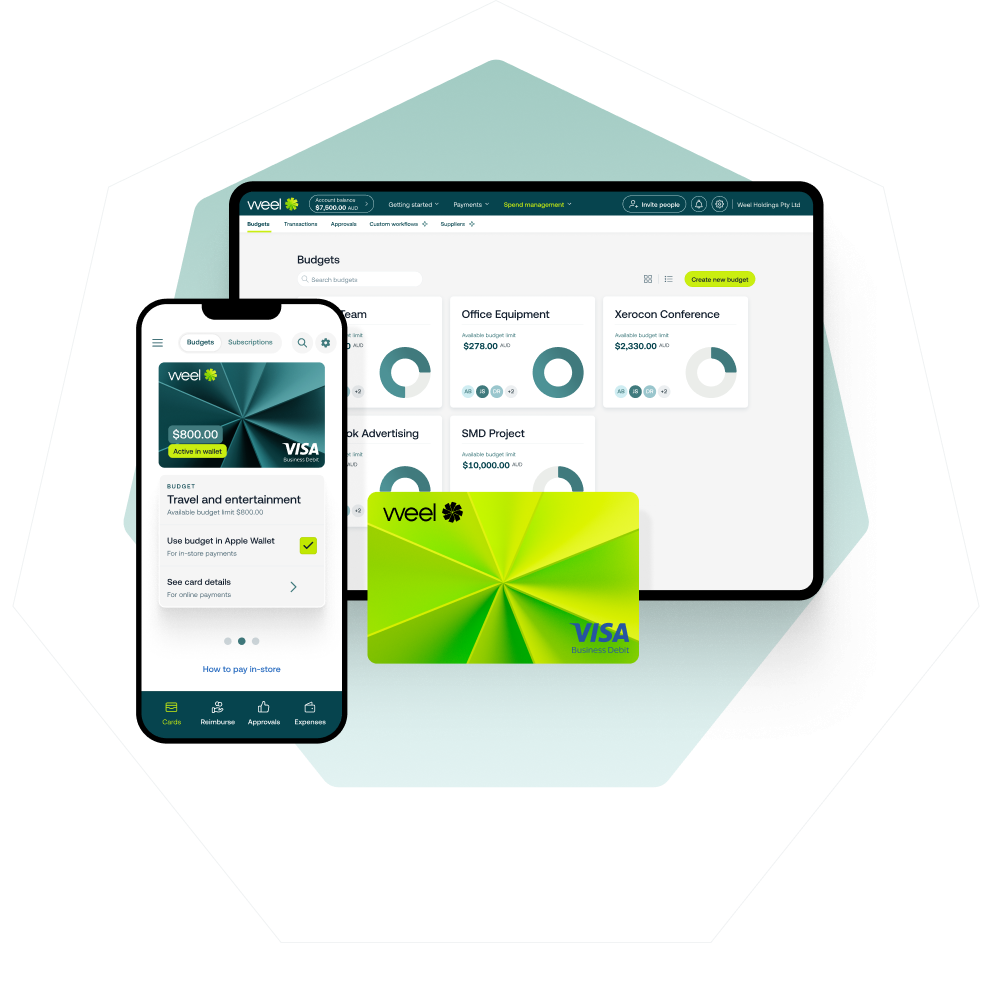
Weel's Accounts Payable is built around one idea: capture, approve and pay, all in Weel. Here is how it covers the six stages. See the full Weel accounts payable automation page for the product overview.
Capture and extraction
AI extracts the details from every invoice. Each business assigns itself a dedicated email address, and your team and suppliers forward invoices straight to it. Suppliers import in one click, so you are not building your supplier list by hand.
Coding
Your accounting platform connects first, so GL accounts and cost centres are available when invoices are coded. Bookkeepers and accountants code, review and approve client invoices in Weel without holding or seeing the business's bank account login.
Checks before payment
Weel runs a duplicate invoice check and a changed bank details check before payment. Supplier view shows every invoice, purchase order and credit for a supplier, plus historical spend, so questions about an invoice are answered from one screen. Credit notes are recorded and applied in Weel.
Approval
Invoice approvals are routed by amount, department, supplier category, GL code, cost centre, budget, role or named approver. Weel approves invoices in bulk, up to 100 at a time, in all plans.
Payment
Weel pays BPAY bills (councils, utilities, telcos and the ATO) straight from Weel, reading the biller code and CRN from the invoice, through the same approval workflow as every other invoice. Approved invoices also go into a batch for one payment run, up to 100 invoices per run, with an optional payment date. The batch has its own sign-off, separate from invoice approval, and every batch and its status is visible. Payments still execute individually. Batch payments are in all plans. International transfers carry a flat 0.95% FX fee.
Reconciliation and sync
Weel integrates with Xero and MYOB AccountRight, with two-way AP sync of bills and payments, in all plans. Business Central is available on the Enterprise plan and syncs bills and suppliers.
Setup takes five steps: connect your accounting platform, import suppliers, set your approval workflow, choose how you pay, and pay your first invoice. More than 4,000 finance teams in Australia and New Zealand use Weel, and AP is included with every plan.
How to choose, and where to start
Start with the stage that costs you the most time. For most teams that is capture and coding, because retyping is the largest block of unproductive hours. For others it is approval, because invoices wait on a person. Pick the tool that fixes your worst stage and covers the rest well enough that you do not need a second system.
Then run 20 real invoices through each tool on your shortlist, including the awkward ones: scanned, multi-page, from a supplier with a new bank account. Note what came through correctly, what needed correction and how long approval took, then check the sync into Xero or MYOB AccountRight against the ledger. Your results will tell you more than any feature list.
Finish every invoice, not just most of them
For CFOs, the case for invoice processing software is not speed. It is finality. Each invoice is captured once, coded once, approved by the right person, paid on the right date and synced to the ledger, with nothing left open at month-end. You stop asking whether every invoice is accounted for, because the system answers that question.
When processing is finished at the invoice level, your close is finished at the month level. That is the standard worth buying for.